有時候網站開啟時出現警告被封鎖怎麼辦? 透過google search console解決chrome開啟網站顯示危險被封鎖的問題
而且有時是edge打的開, 只有chrome會跳危險網站,透過google search console解決chrome開啟網站顯示危險被封鎖的問題
或是特定地區或IP才會, 這可能是不同地區的 Safe Browsing 資料庫更新同步速度等功能所致,透過google search console解決chrome開啟網站顯示危險被封鎖的問題
倘若是別人的網站我們可以不管, 但若這個網址是自己的就不能忍囉!! 透過google search console解決chrome開啟網站顯示危險被封鎖的問題
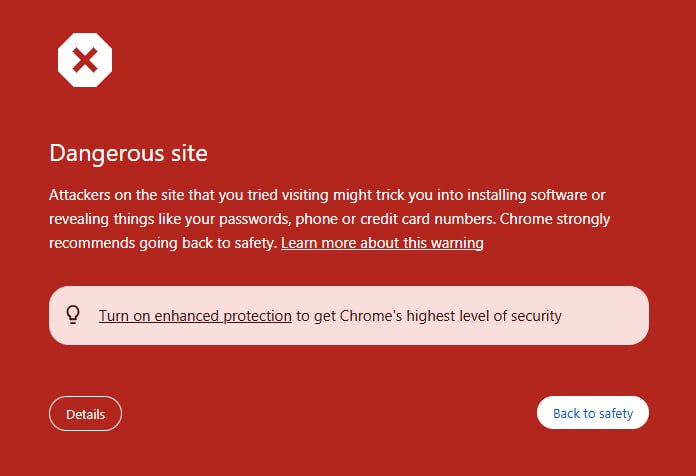
要解決這個問題
我們可以透過google search console新增被封鎖網域的所有權
設定後就可以看到被封鎖的細節(可能會需要DNS驗證TXT紀錄)
新增完成後, 就可以透過google search console網頁介面
看到被警告的詳細原因, 內容與網址
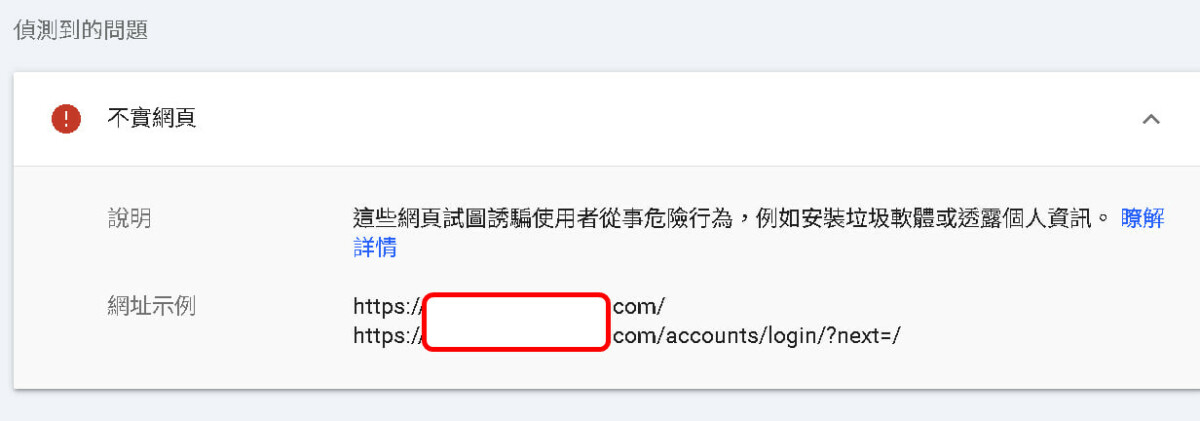
在我們檢查網站確認沒問題後, 可以自己申請恢復
申請的內容可以參考
Dear Google Safe Browsing Team,
I am writing to report a false positive security warning for our domain/URL: [https://xxx.xxx.com].
This website is a private internal development environment used exclusively by our engineering team for software testing. It does not contain any malicious content, malware, or phishing schemes.
We believe the site was misclassified as “dangerous” likely due to the presence of login forms or certain development resources that triggered your automated social engineering filters.
Key points for your review:
The site is restricted for internal use and does not target the general public.
No user data is being collected for fraudulent purposes.
We have scanned our server logs and source code, and no unauthorized access or malicious injections were found.
Please re-evaluate this URL and remove the security warning as it is hindering our development workflow.
Thank you for your assistance.
Best regards,
Elvis (Mizuhara Makoto)
Senior Cloud Architect / SRE Team
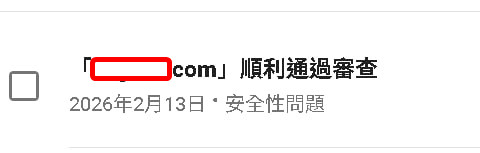
順利的話, 有機會隔天解開
然後可以收到類似的訊息
現在再去開~應該就會恢復正常瀏覽不跳警告了
探索更多來自 哪裡好吃哪裡去:美食避雷箴 的內容
訂閱即可透過電子郵件收到最新文章。